Appearance
Adobe Marketo Engage
Pre-requisites
- All pricing plans
- Administrator
Finding your Client ID, Client Secret, Identity URL and Endpoint
To find the
Client IDandClient Secret. Sign in to your Adobe Marketo Engage account and go toLaunchPointunderAdminfrom the left navigation bar.Under LaunchPoint, click on
Newand make sure that the type isCustom. Now click onView Details.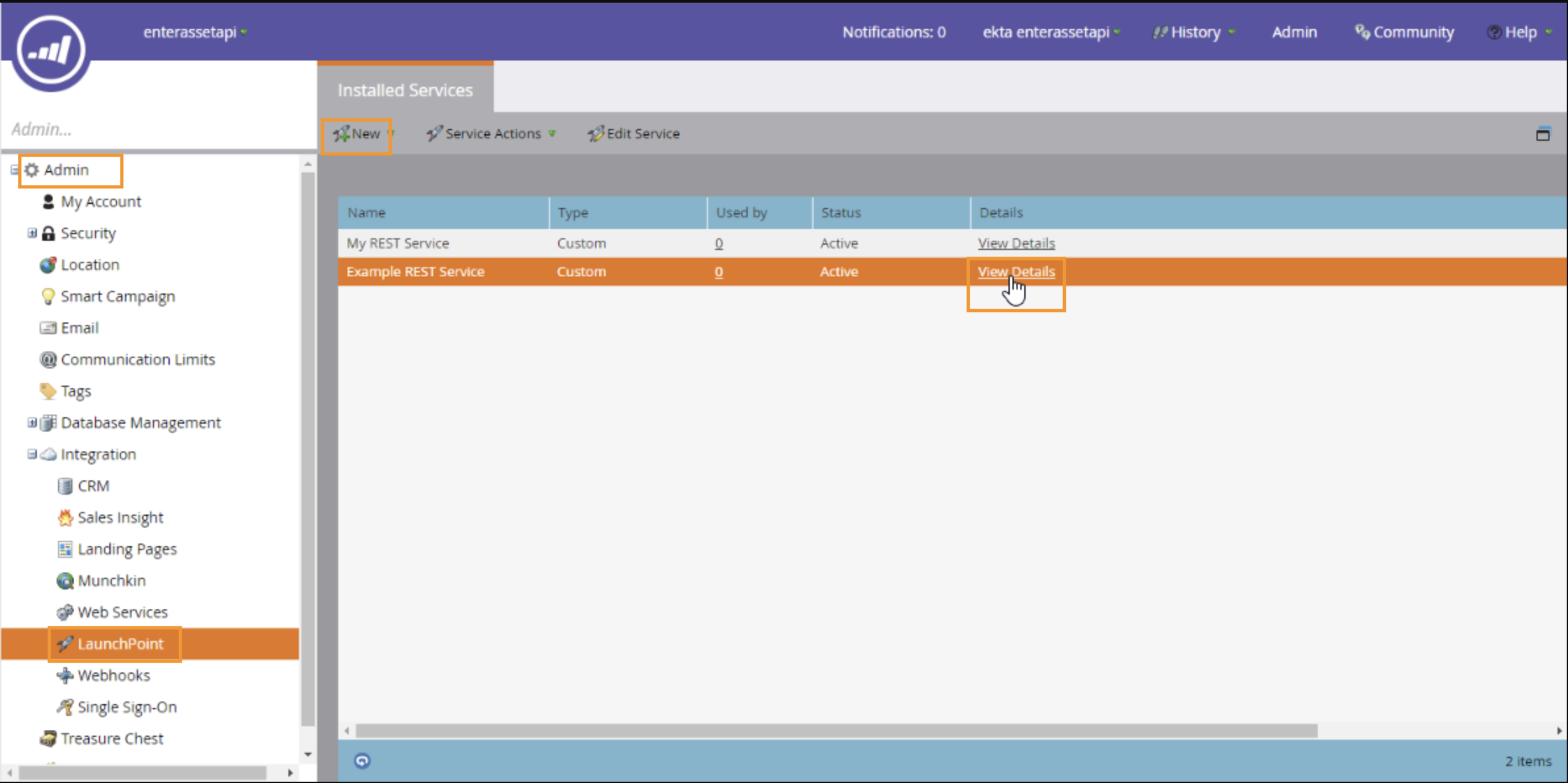
Copy your
Client IDandClient Secretand paste it into Truto.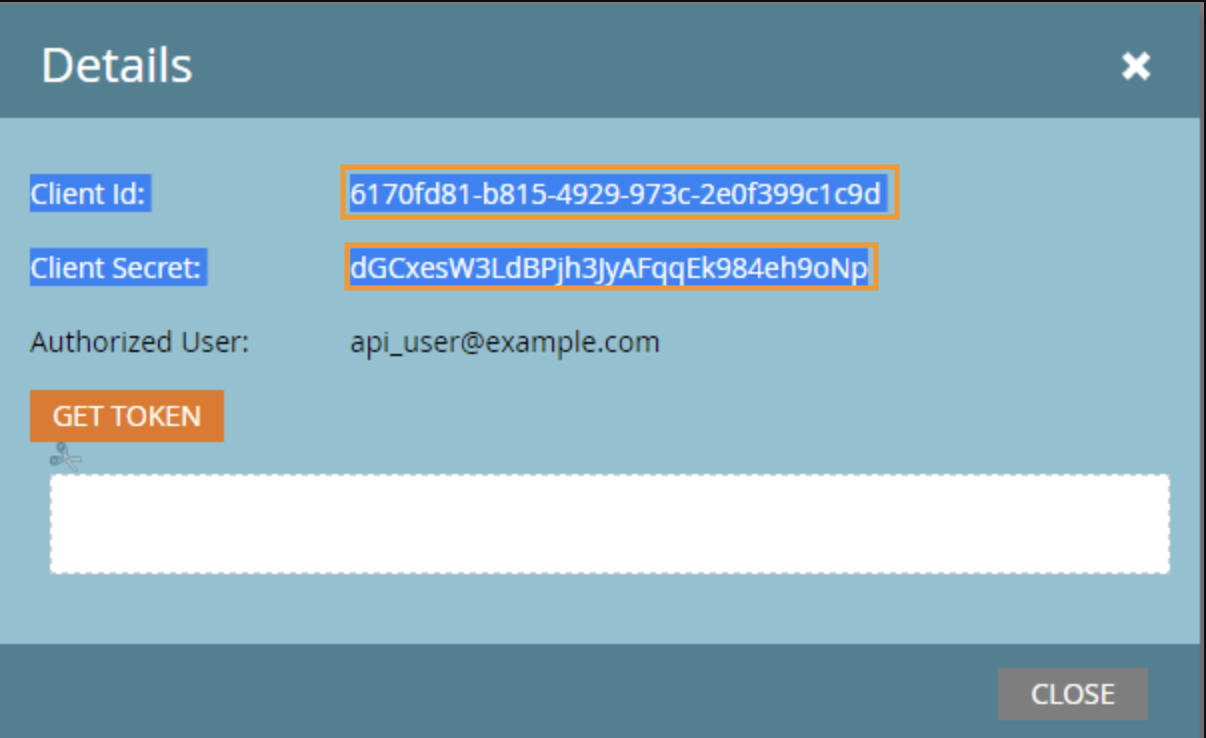
To find the Identity URL and Endpoint, go to
Web ServicesunderAdminfrom the left navigation bar.Now, under the
REST APISection, you will find theIdentity URLandEndpoint.