Appearance
Files.com
Pre-requisites
- Site Administrator
Finding your Files.com Subdomain, API Key.
You'll now be prompted to add the Files.com Subdomain, API Key.
Finding your API Key
- To find your API key, sign in to your Files.com account.
- Navigate
Developers->API Keys->Add New API Key.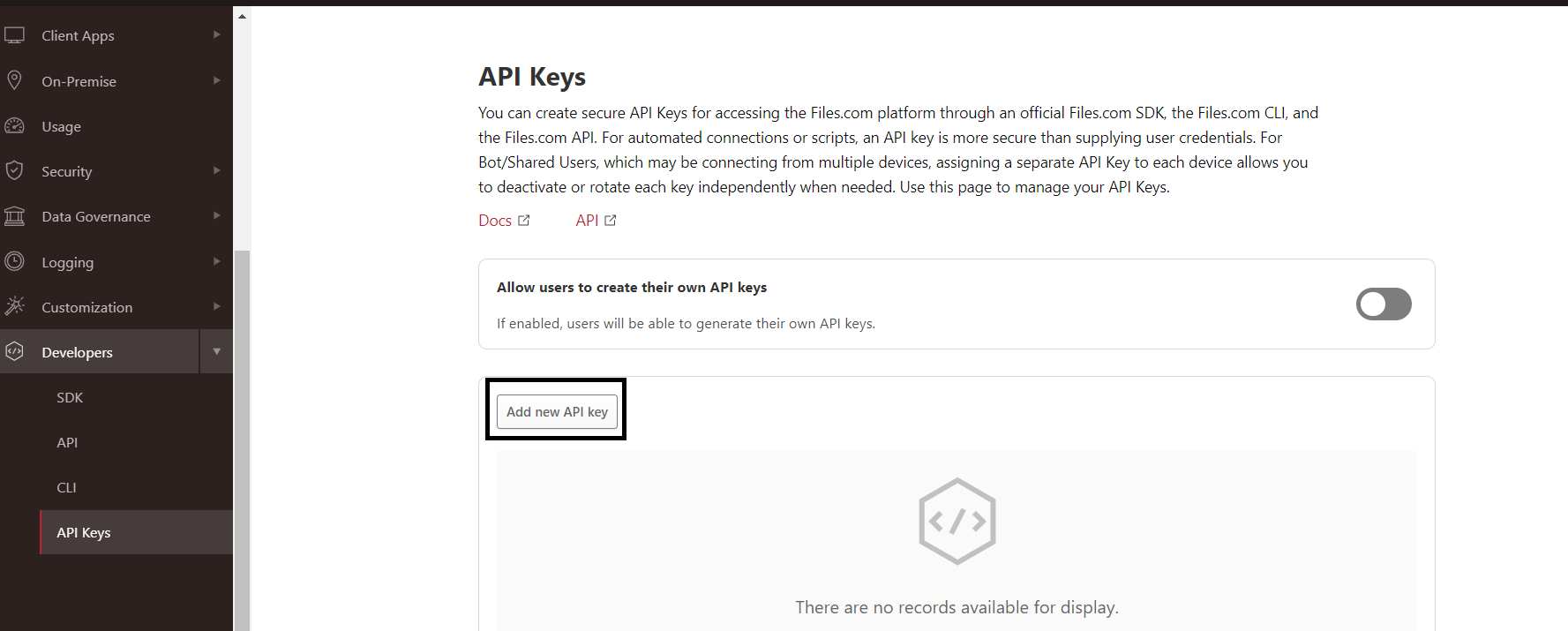
- Copy the API key value and paste in relevant field in Truto.
Finding your Subdomain
- Navigate
Customization->Custom Domain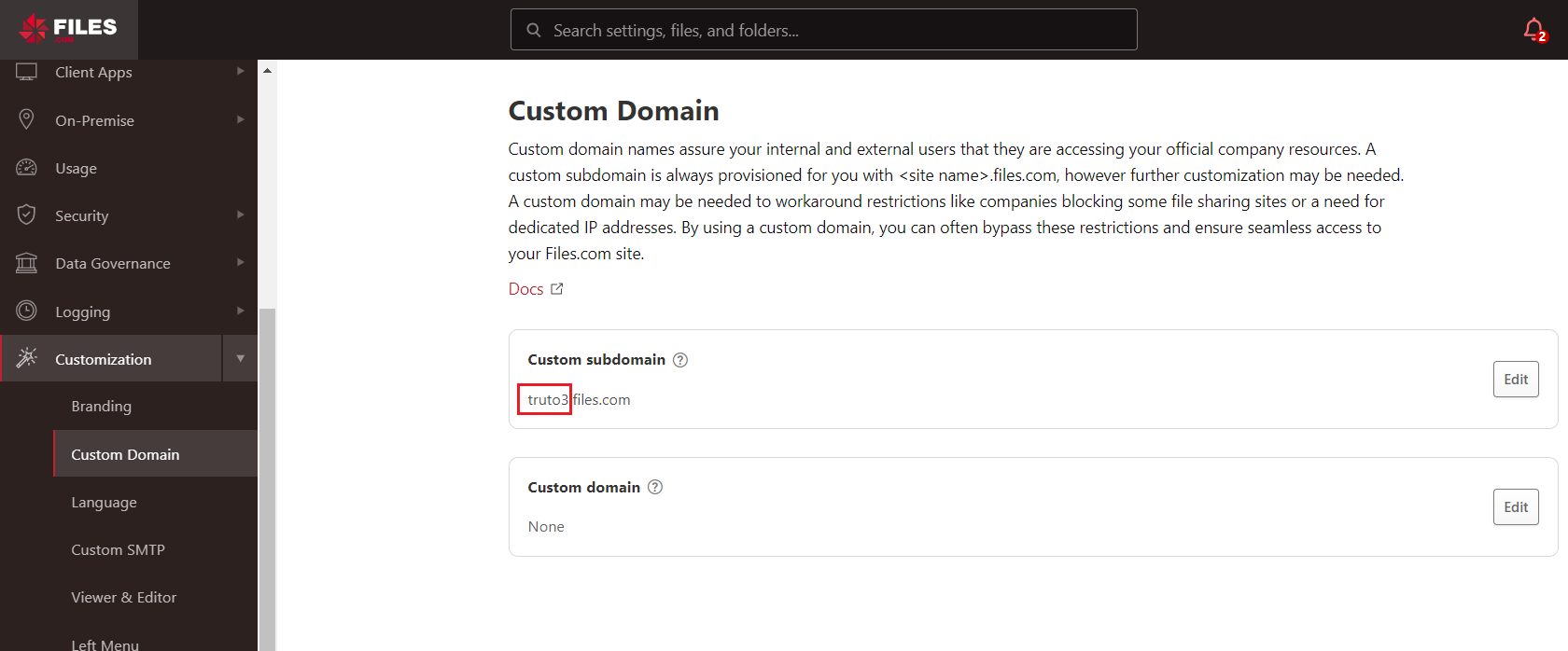
- Copy the subdomain value as shown in the above image and paste it in relevant field in Truto. Click
Connect.