Appearance
Finding your API Key and Grafana Endpoint URL
You'll now be prompted to add the API Key and Grafana Endpoint URL.
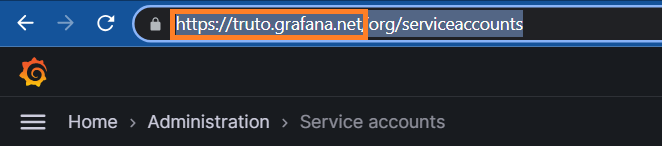
Grafana Endpoint URL
- To find the Endpoint URL, Sign in to your Grafana account.
- You can find it from the URL as shown below
API Key
- To find the API Key, Sign in to your Grafana account.
- Click on the
Administrationbutton at the left Navigation Panel. - Under
Administration, click onService accounts.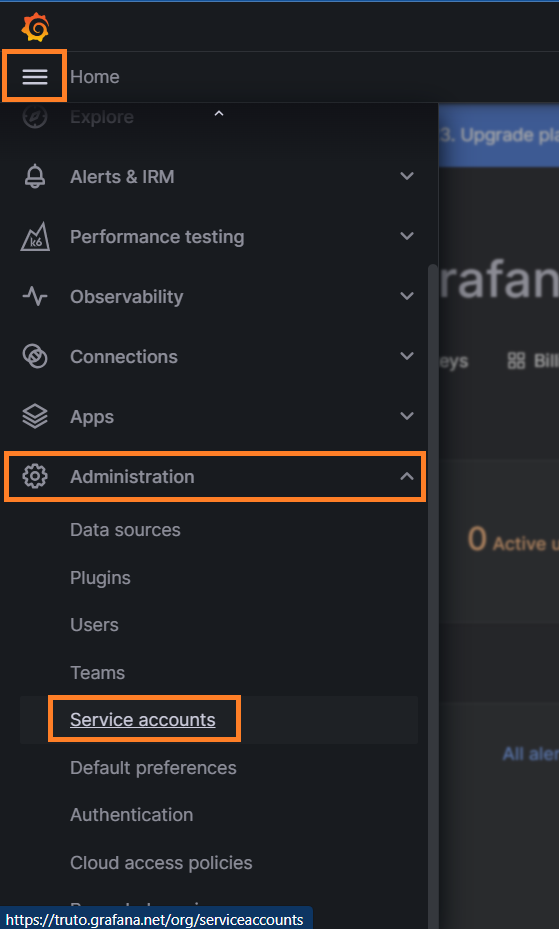
- Now click on
Add service accountas shown below.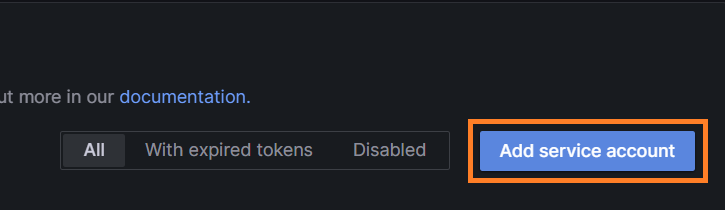
- Enter
Nameand give Roles as shown below.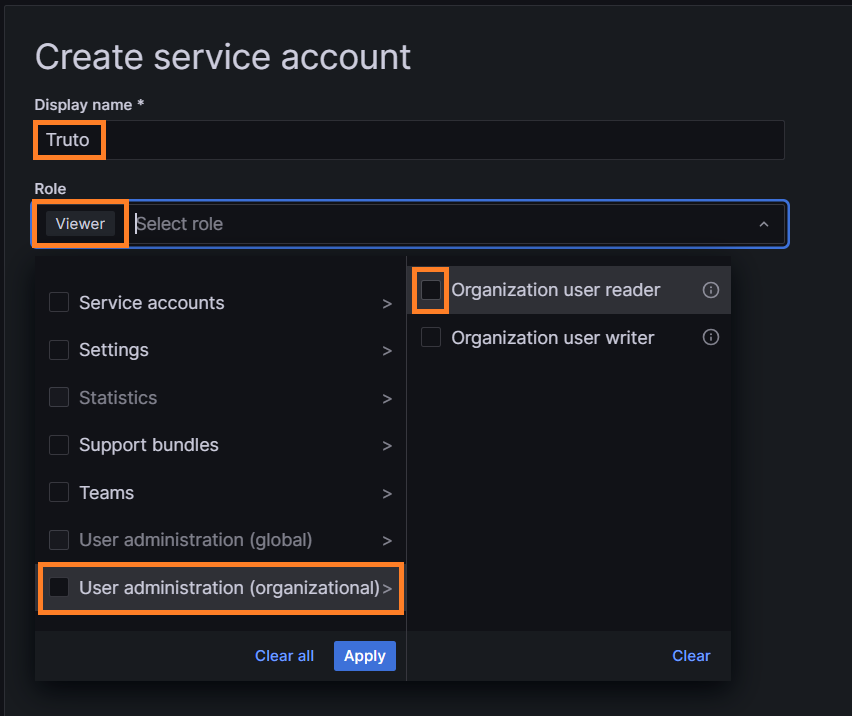
- Click on
Applyafter selecting required Roles.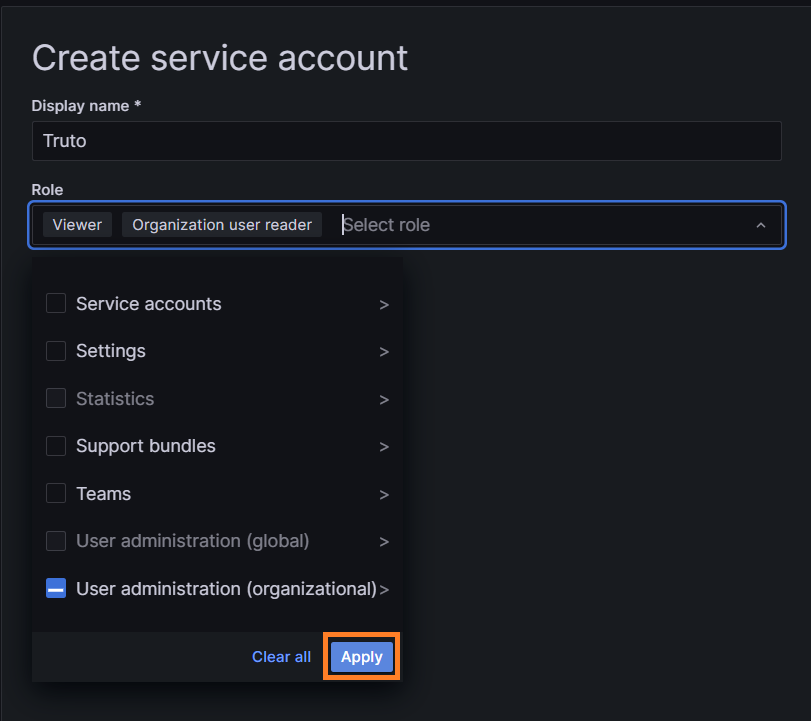
- Now click on
Createas shown below.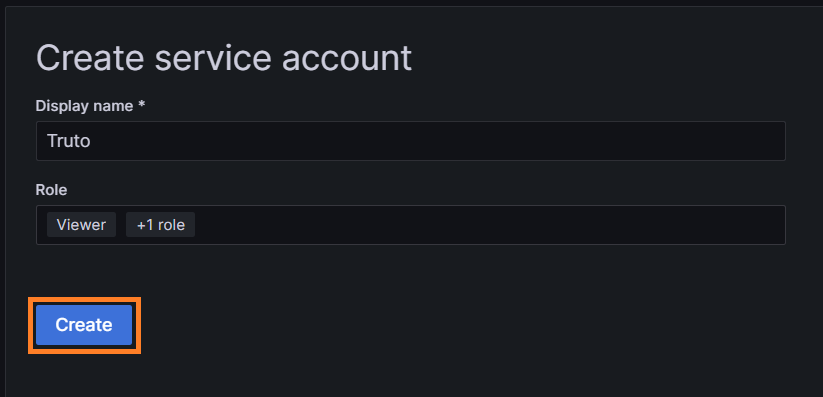
- Click on
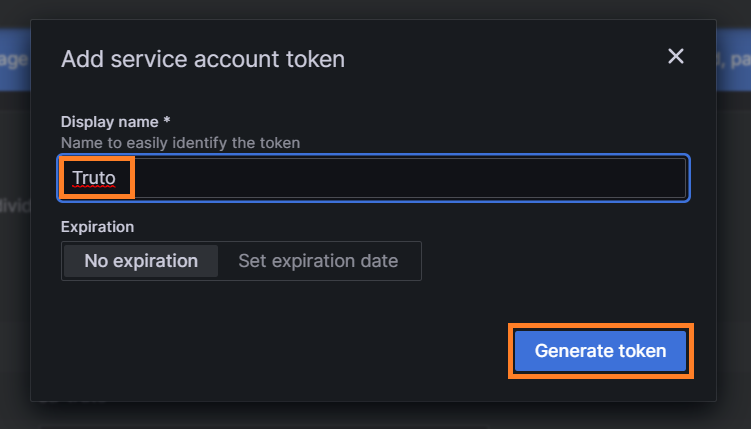
Add service account tokenand EnterNamefor token.
- After clicking on
Generate token, You will find your API Key.