Appearance
Keeper
Pre-requisites
- Admin
Finding your Keeper Node ID and API Key
You'll now be prompted to add Keeper API Key and Node ID.
Finding your Keeper Node ID and API Key
- To find your API Key, Node ID. Sign in to your Keeper account.
- Navigate
Admin->Add Node->Provisioning->Add Method.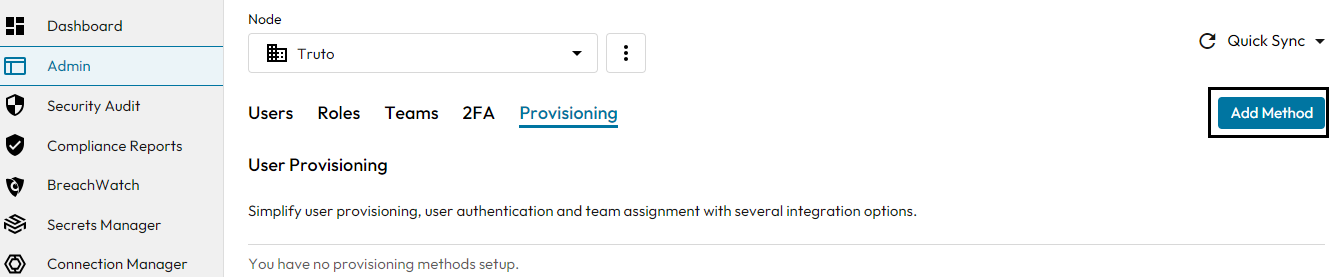
- Select SCIM from the list and click
next.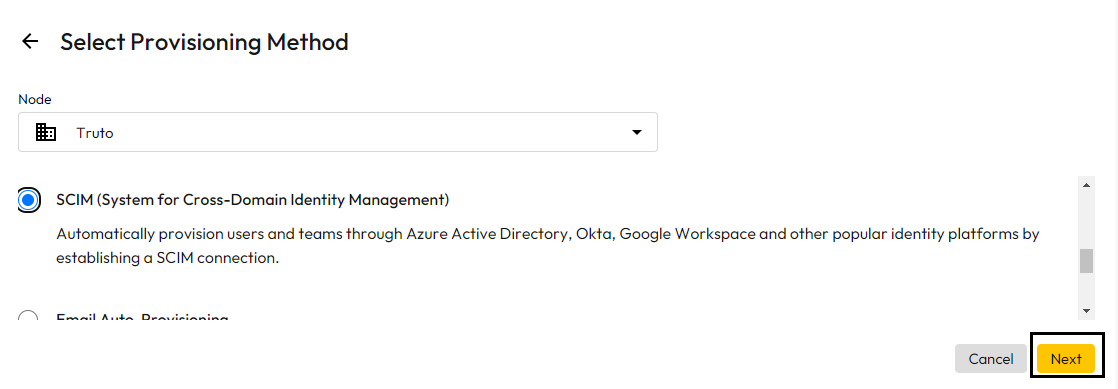
- You will find your Node ID as shown in below image and click
Generate.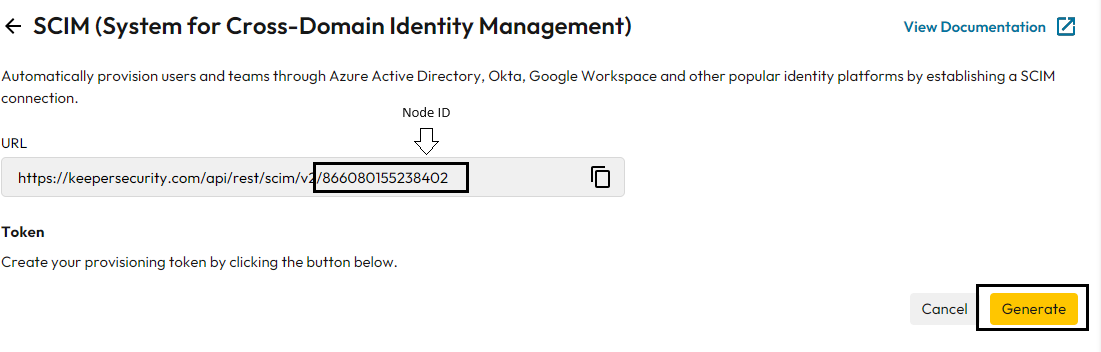
- Copy API key value and paste it in relevant field in Truto. Click
Connect.