Appearance
Finding your Leadsquared Secret Key, Access Key and API Host
You'll now be prompted to add the Secret Key, Access Key and API Host.
Finding your Access Key, Secret Key
- To find your Access Key, Secret Key. Sign in to your Leadsquared account.
- Navigate My Account>Settings>API and Webhooks>API Access Keys >Generate Key.
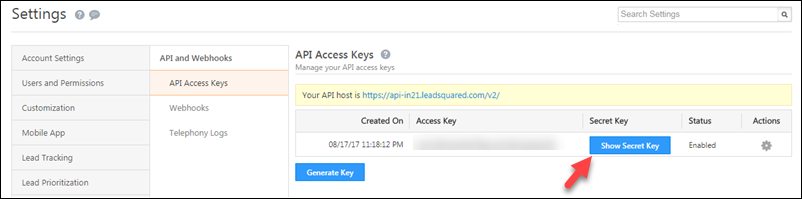
- Copy the Secret Key, Access Key values and paste in relevant fields in Truto.
Finding your API Host
You will find Leadsquared API Host from the Leadsquared website URL in your browser. Copy that value and paste it in relevant field in Truto.