Appearance
Finding your Client ID and Client Secret
Prerequisites for Miro Integration
Enterprise Planis required for connecting this integration.- You need to be an
Administratorfor connecting this integration.
You'll now be prompted to add the Client ID and Client Secret.
Create your Client ID and Client Secret
- To find the Client ID and Client Secret, Sign in to your Miro Developer Platform.
- Click on the
Your appsbutton as shown below. - Under
Your apps, click onCreate a new app.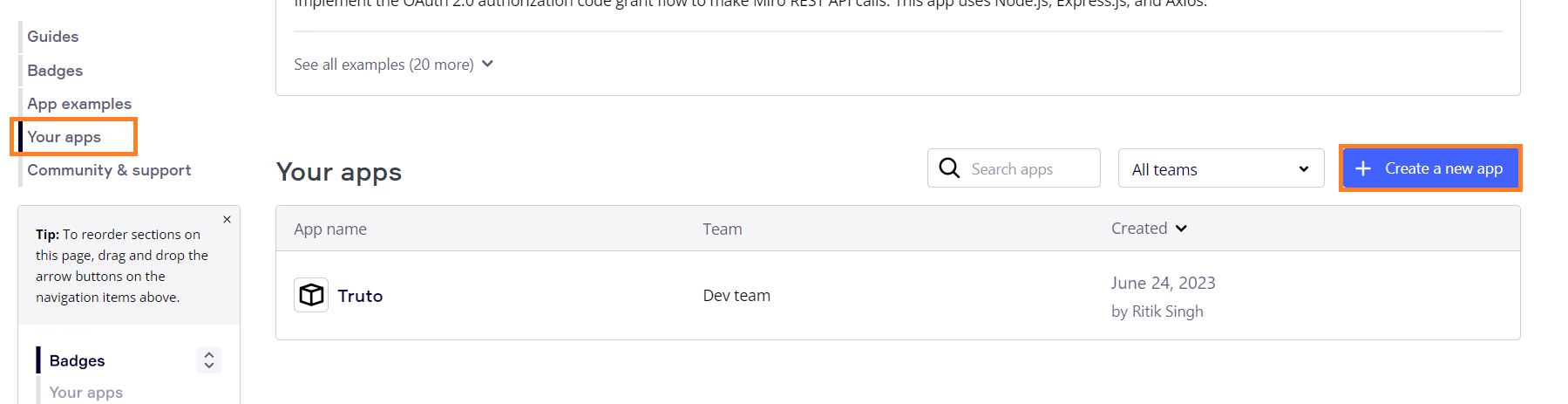
- Enter
Namefor the App and click onCreate app.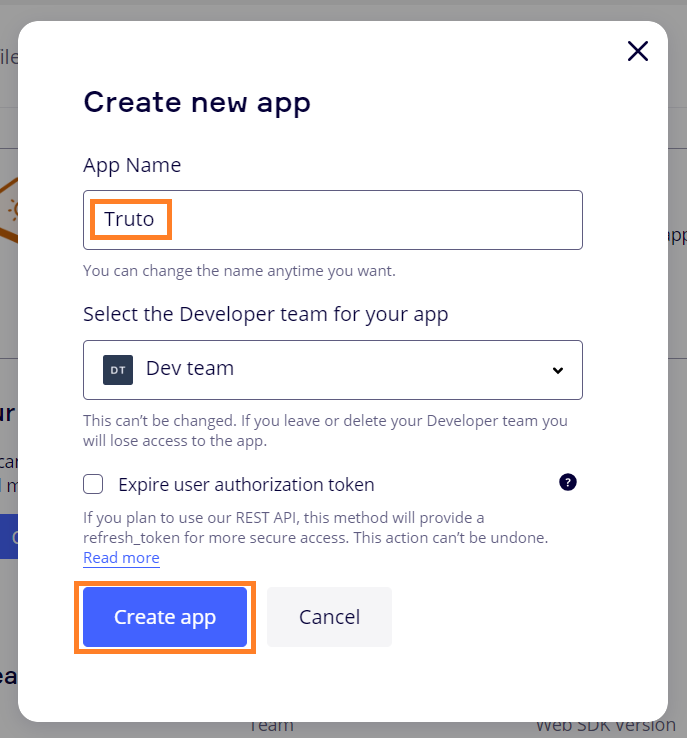
- Enter
Redirect URI for OAuth2.0and click onAddas shown below.
- Redirect URI
https://api.truto.one/connect/miro/callback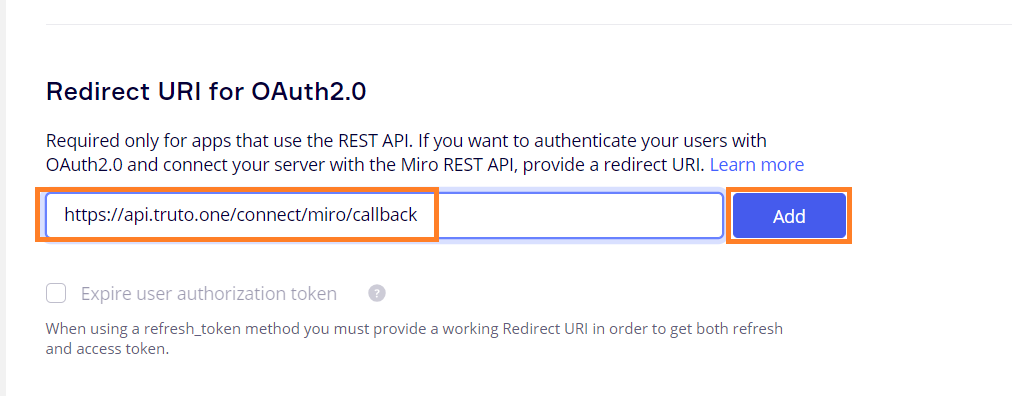
- Under permissions, Select
organizations:read. Click onConnect.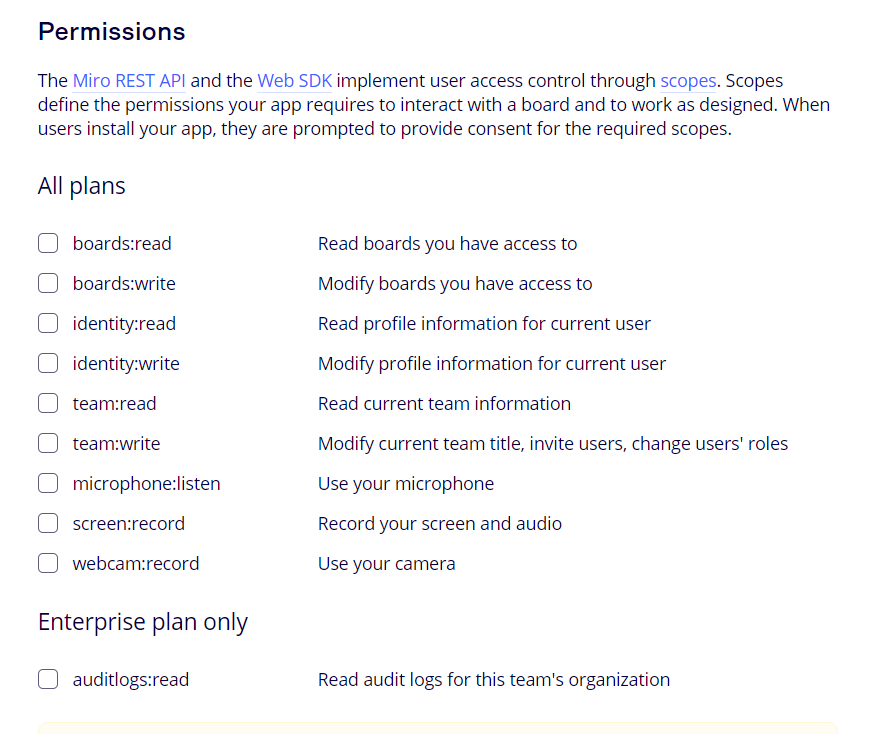
WARNING
organizations:readpermission will only be visible to Enterprise Users. - Now copy
Client IDandClient SecretfromAPP Credentialsand Enter yourClient IDandClient Secret. Click onConnect.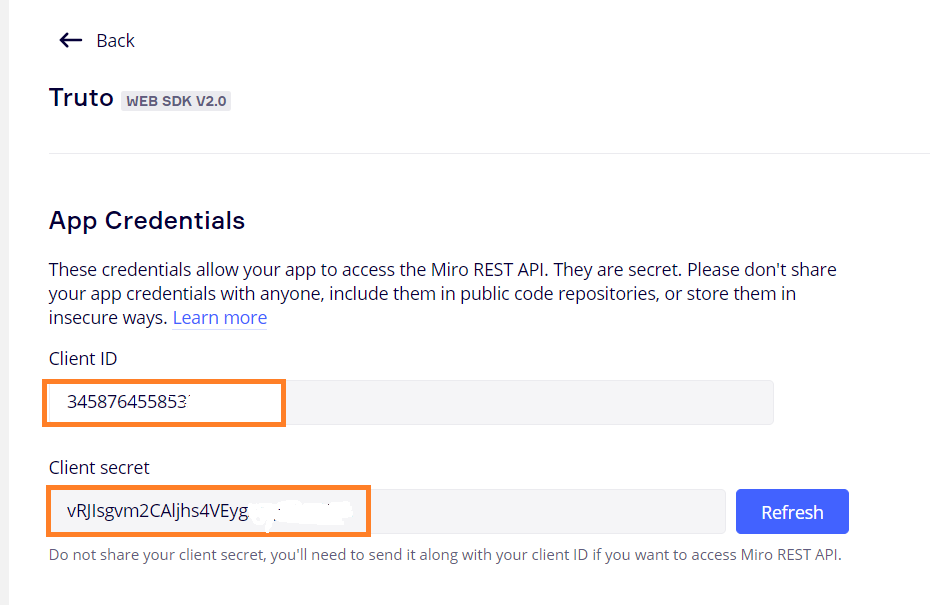
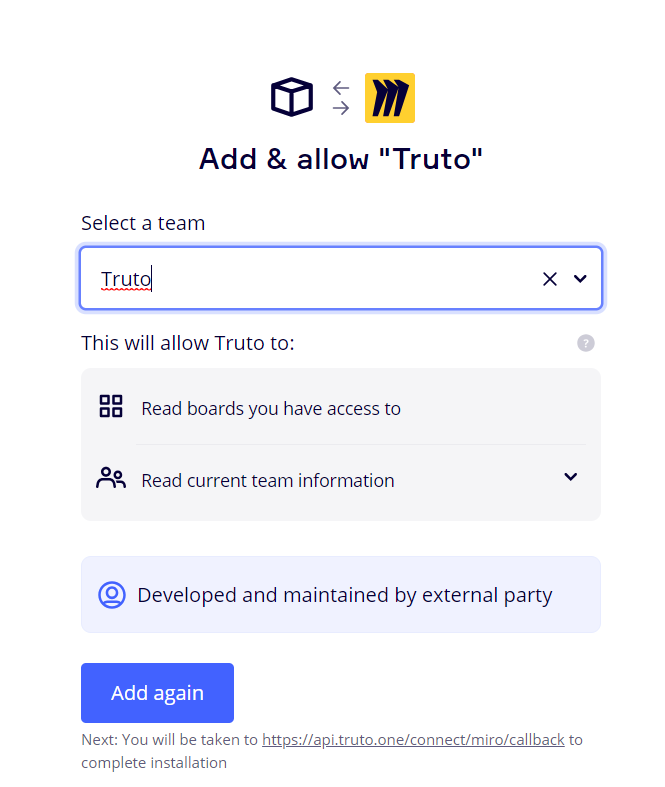
- You'll now be asked to log in to your Miro account and allow access to Truto. Go through the steps.