Appearance
Sentry
Pre-requisites
- Owner or Manager
Finding your Token and Organization Slug
You'll now be prompted to add the Token and Organization Slug.
Organization Slug
- To find the Organization Slug, Sign in to your Sentry account.
- Click on the
Settingsbutton at the left Navigation Panel.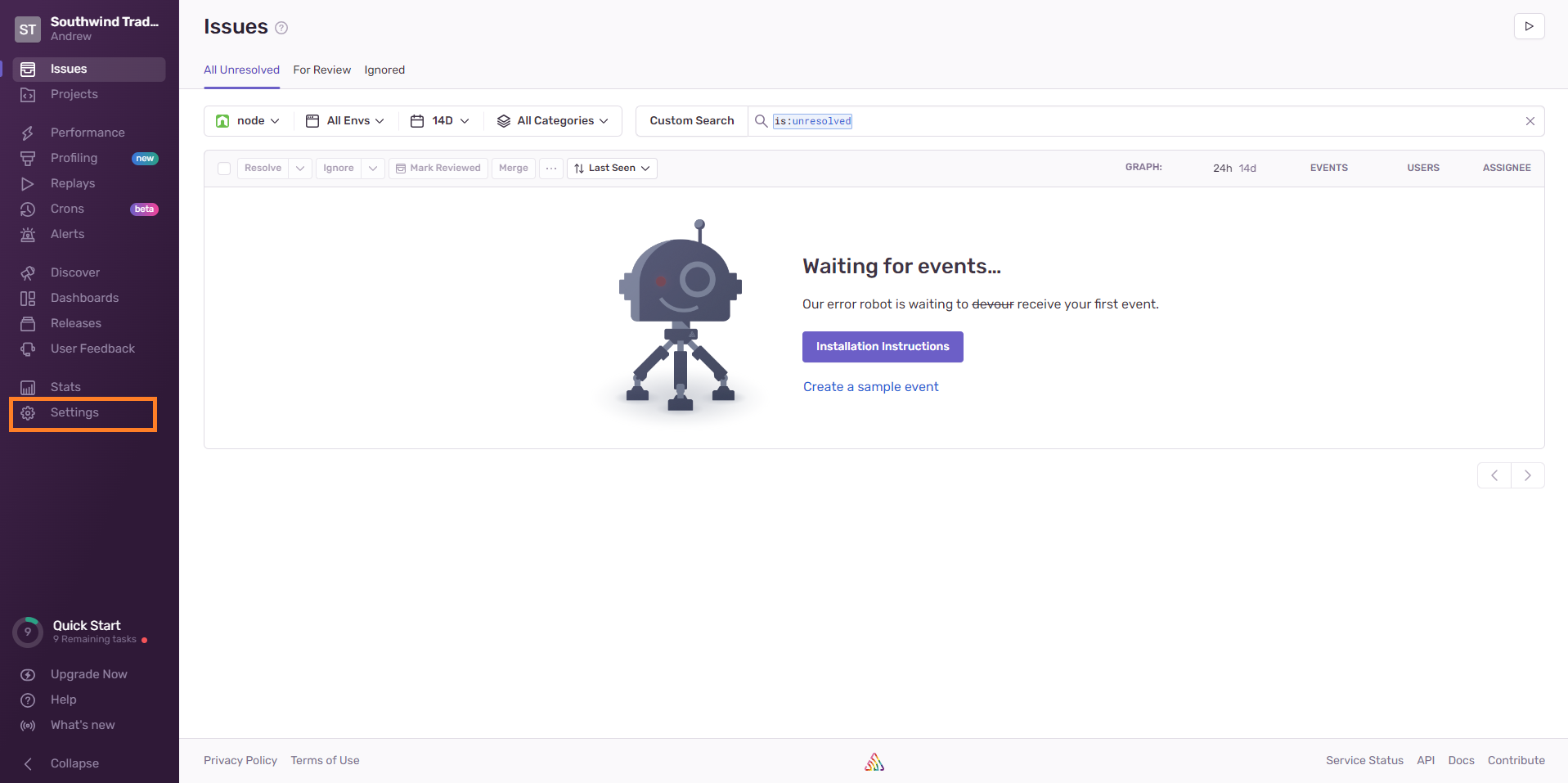
- Under
General Settings, you will get your Organization Slug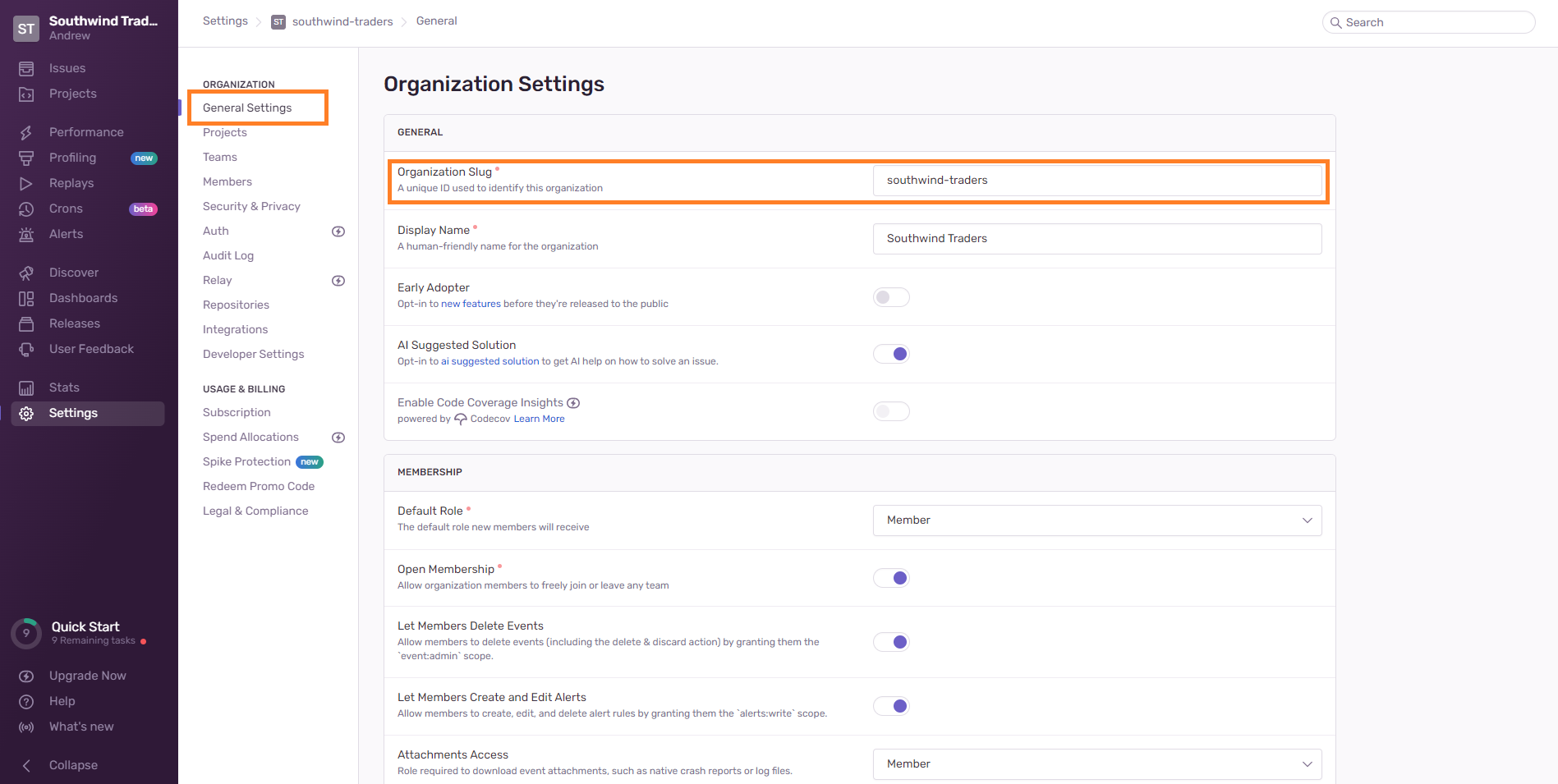
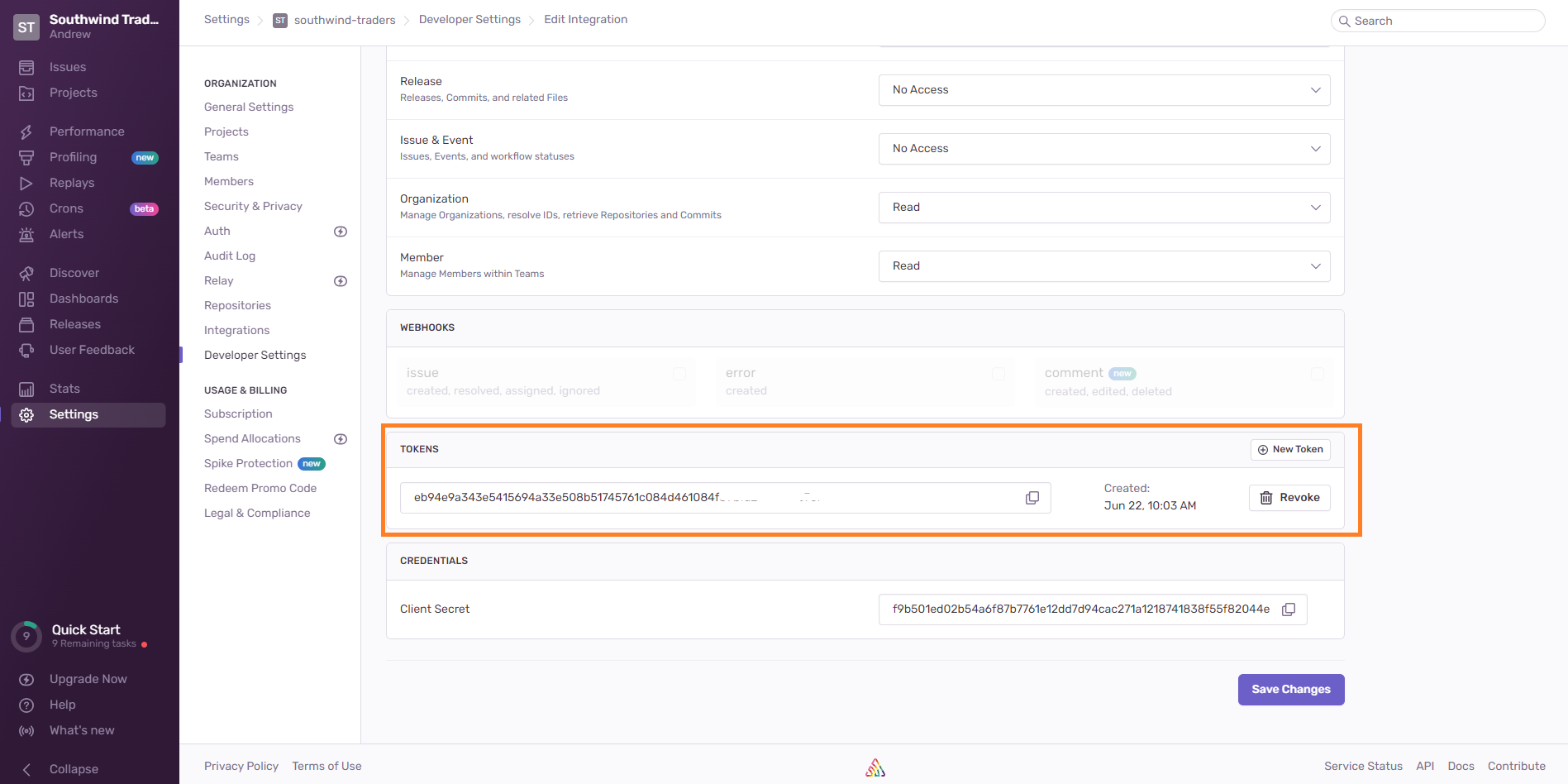
Token
- To find the Token, Sign in to your Sentry account.
- Click on the
Settingsbutton at the left Navigation Panel. - Under
Developer Settings, click onCreate New Integration.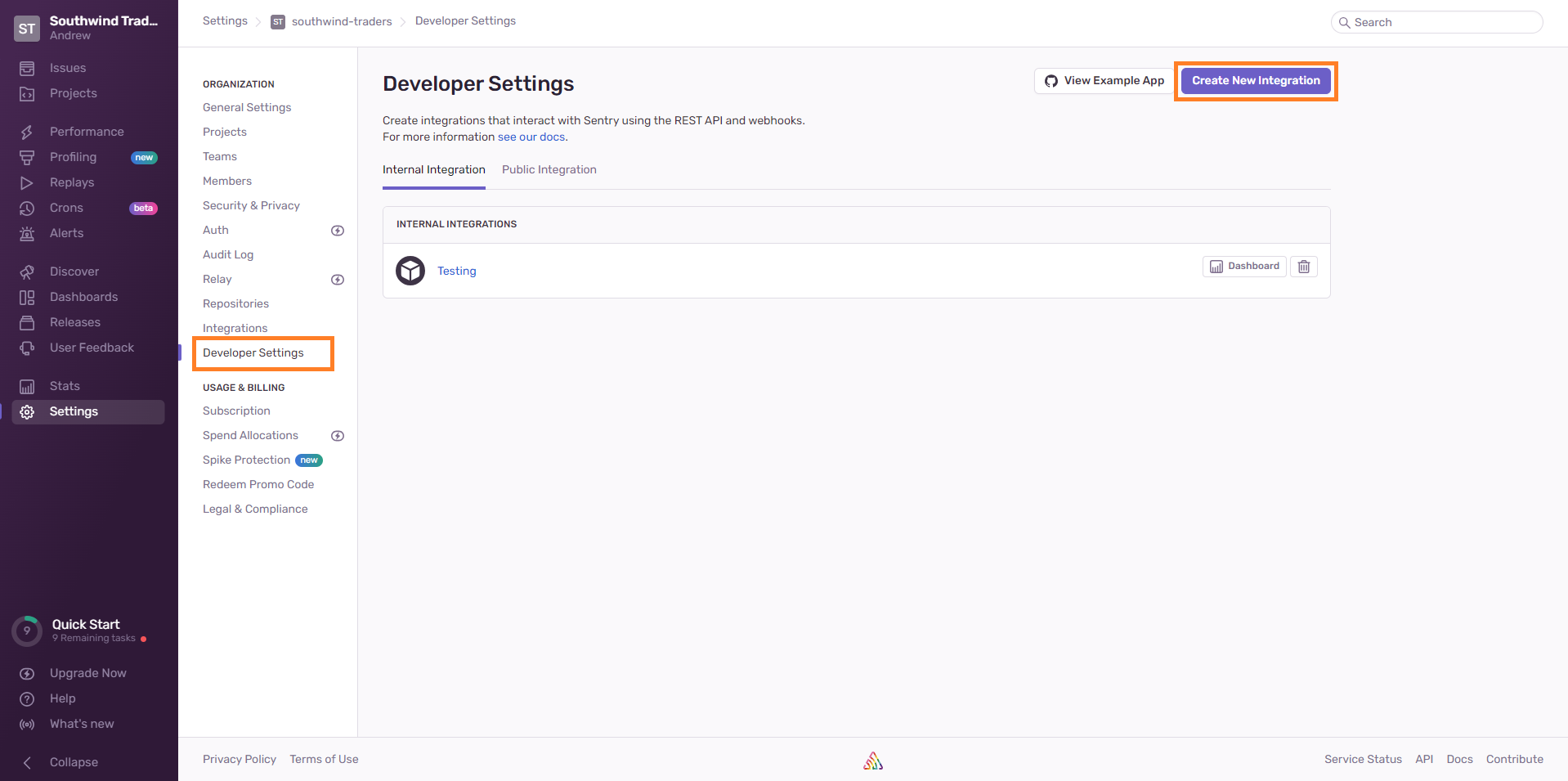
- Select
Internal Integrationand click onNext.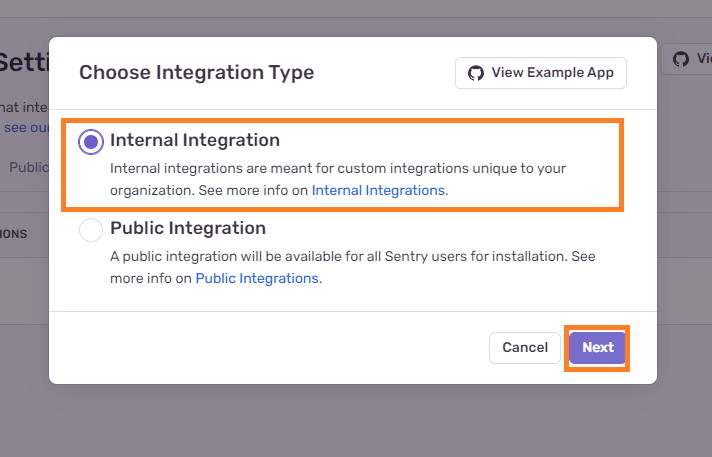
- Enter
Nameand give Permissions as shown below.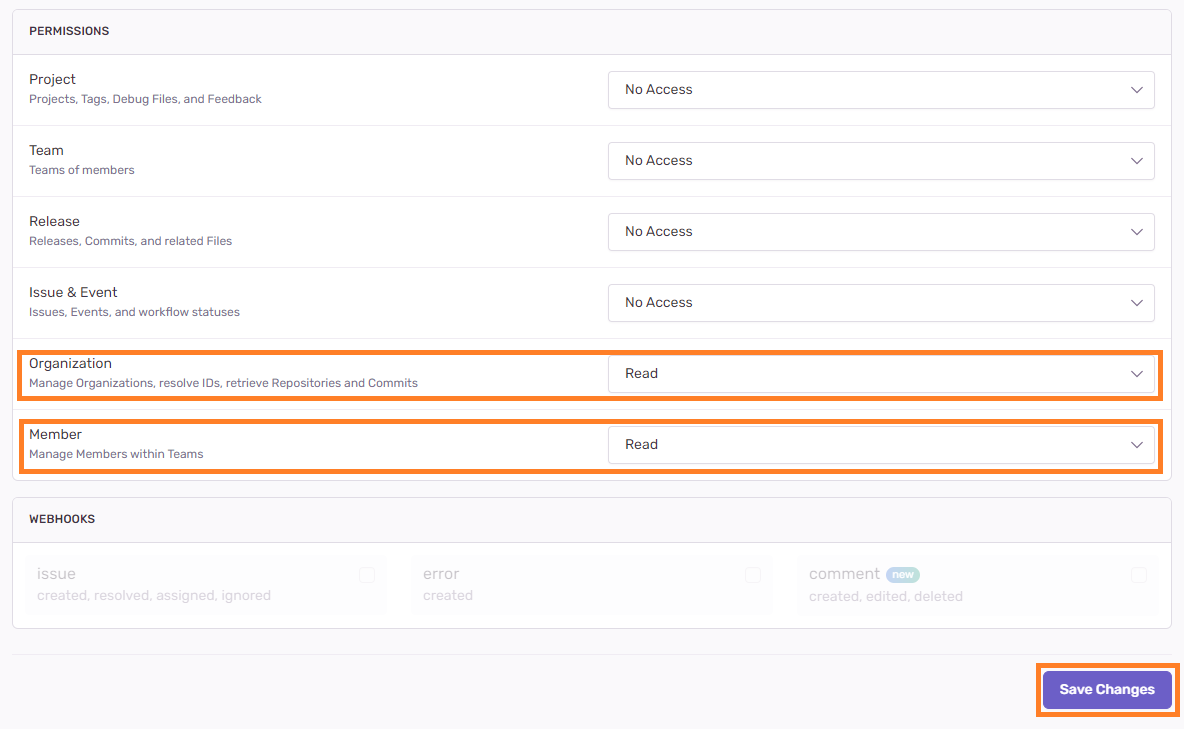
- Click on
Save Changesafter selecting required permissions.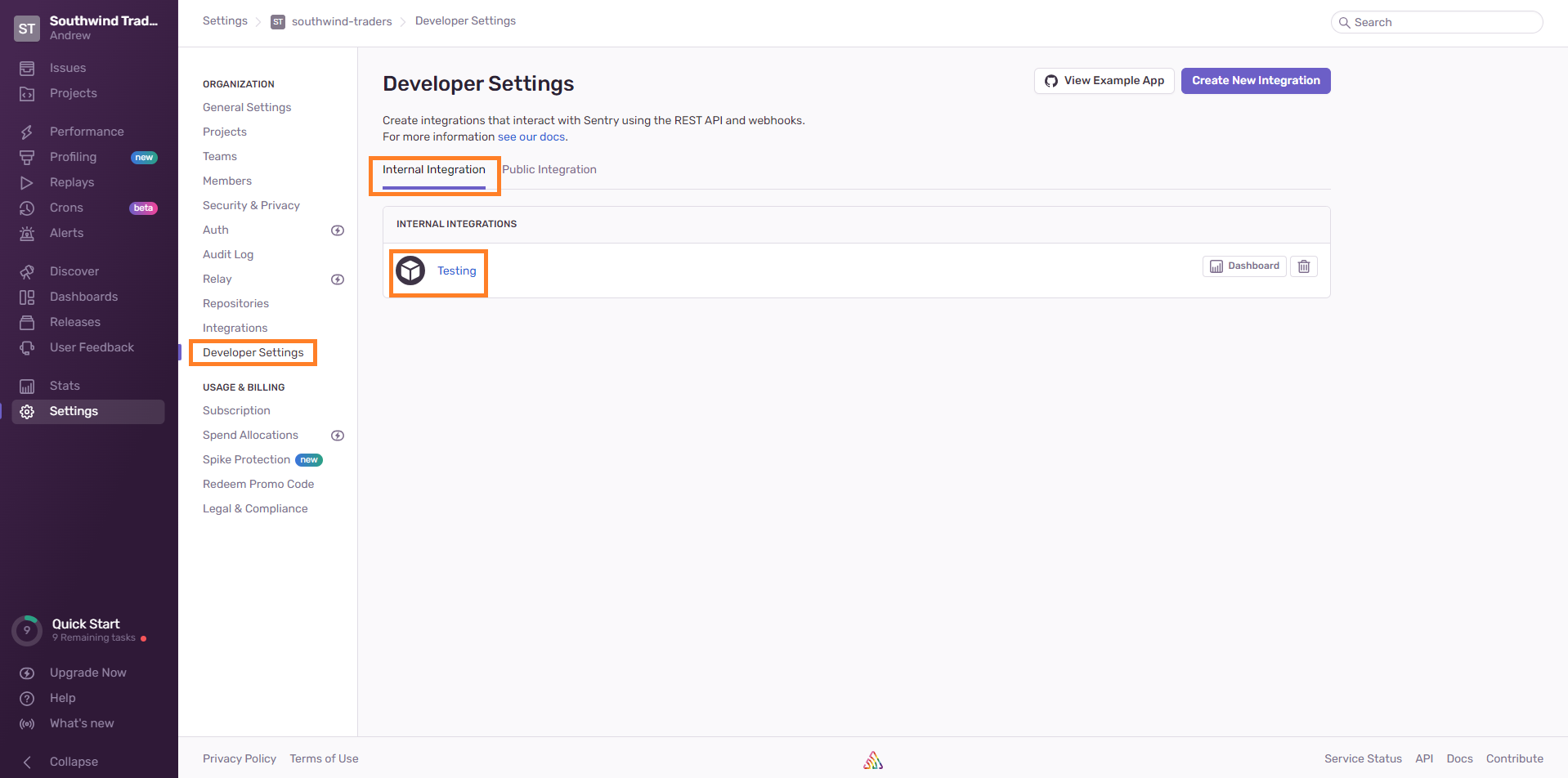
- Now, in
Developer SettingsinInternal Integrationyou wil find your Integration. Click on it and inside it you will find yourTokenat the bottom.